Look beyond the chat
Check the camera roll, computer backup, or original shared album. A saved message attachment or screenshot may have fewer pixels or more compression. Ask the photographer for the original file when possible.
 PawMotifPORTRAITS OF OUR COMPANIONS
WHEN ANOTHER PHOTO IS NOT POSSIBLE
For a pet memorial portrait gift, the best starting point may be an older photo you cannot retake. Compare the copies you have, notice which details remain, and decide in your own time.
Review my photos privately ↓No account needed for this worksheet. Your photo stays in this browser tab.
01 / START WITH WHAT YOU HAVE
Check the camera roll, computer backup, or original shared album. A saved message attachment or screenshot may have fewer pixels or more compression. Ask the photographer for the original file when possible.
Review copies. Repeated saving, filters, sharpening, and enlargement can change the file without revealing the features that were missing. More pixels alone do not mean more real detail.
Make a scan, or photograph the print evenly without glare. Keep the full print in the frame. A scan preserves what the print shows; it cannot verify details hidden in the original scene.
02 / YOUR LOCAL PHOTO REVIEW
Choose up to three JPEG, PNG, or WebP files, each no larger than 25 MB. This worksheet reads pixel dimensions and shows a preview on your device. It does not assess the image with AI, upload it, or decide whether a portrait will look right.
Choosing a new group replaces the current review. Files over 40 megapixels are excluded to keep this browser worksheet manageable. HEIC/HEIF needs conversion first.
Your photos will appear here. You can also use the guidance below without selecting a file.
You can choose a photo without ticking every box. Unchecked points remain things to consider; this card is not an approval or a guarantee. Nothing is saved when you leave or reload this page.
An original writing example is shown as a suggestion. Your note is text you can keep or send yourself; this page does not send the gift.
PawMotif · Personal photo review · Pixel counts do not establish quality · Digital portrait only
03 / A REFERENCE, NOT A RECONSTRUCTION
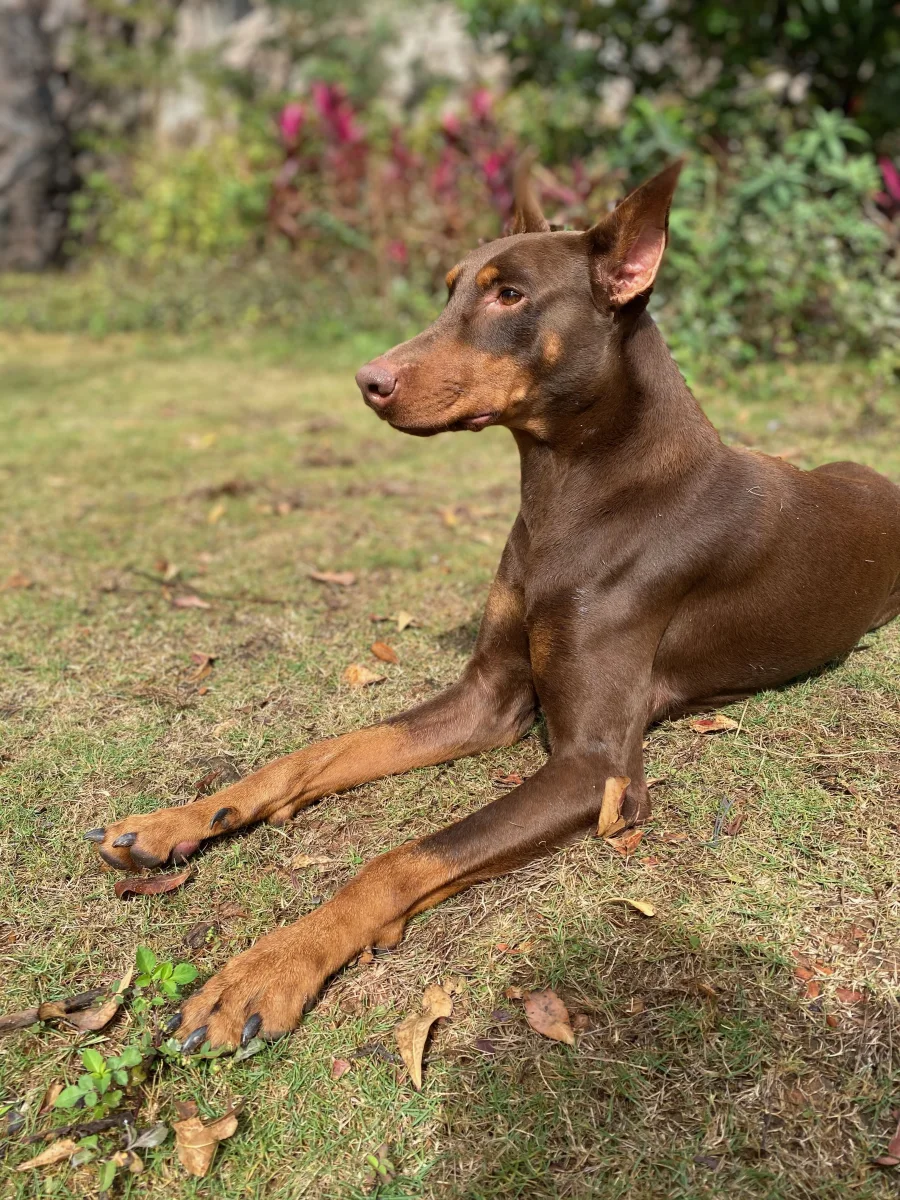
Look at the visible eye, side profile, ear outline, and coat. Then notice what this angle does not fully show: the far side of the face and some markings. A generated front-facing view would redraw those areas rather than document them.
When your only photo has a hidden feature, record that uncertainty. Do not treat a plausible-looking generated detail as recovered information.
Compare the recorded outputs from this same photo →04 / IF A GIFT FEELS RIGHT
Check that a portrait would be welcome and that you may use the photograph. Avoid sharing a private photo publicly as part of a surprise.
A short personal note and a privately shared digital file can be enough. Leave room for the recipient to open it later, without a public reveal or an expected response.
After purchasing, save the unwatermarked PNG and a backup within the download window shown in your account. Open the saved original before handing it over. A recovery code is private account access, not a gift-sharing link.
PawMotif provides a digital portrait, not a physical print, frame, or delivery service. Arrange any printing yourself after checking the finished file. Use the full digital gift checklist →
Keep your review card nearby and compare the private preview with the features that matter to you.